


Enterprise Car Rental
4.618.74K Reviews
App Specs
- Version
- 8.11.0.2566
- Updated On
- License
- Free
- Downloads
- 5,000,000+
- Developer
- EAN Services, LLC
- Categories
- Travel & Local
- Platform
- Android, iOS
Screenshots
 Analysis by AppCompare
When I need a rental car, I want to sort out the practical details before travel day: where to collect it, what kind of vehicle fits the trip, and whether the booking works with my plans. That is where Enterprise Car Rental makes sense to me. It is a travel app from EAN Services, LLC, focused on arranging Enterprise rentals rather than comparing every rental company in one place. I would consider it most useful when I already want to rent from Enterprise and would rather manage the process on my phone.
What the app is best suited to
Enterprise has a wide location footprint, with rentals available at over 9,500 locations, so the app can be helpful when a trip involves a familiar neighborhood branch or a destination where I want to check Enterprise availability. The important distinction is that a large network does not mean every vehicle or pickup time will be available at every branch. I still treat the results as a starting point and check the exact location and dates before making plans around a particular car.
This is a practical choice for a business traveler who tends to use the same pickup location, a household that needs a temporary second car, or someone planning a weekend trip and already comfortable renting from Enterprise. It is less compelling if my main goal is to compare offers across several rental brands. For that, a multi-company travel search or the individual rental firms’ apps may give a broader view; Enterprise’s app is more useful once I have decided which company I want to book with.
A booking routine that avoids avoidable surprises
For a realistic example, imagine my car is in the shop and I need a rental near home for a few days, but I also have a work appointment across town. I would search the pickup area and dates first, compare the available vehicle types against the actual trip, and then review the reservation details before confirming. A compact may be easier to park for local errands, while luggage or several passengers can make a larger option worth considering. The useful habit is to choose for the whole itinerary rather than focus only on the first drive.
I would also check the pickup and return times against opening hours and my travel schedule, rather than assume the app’s booking flow resolves every timing question. If plans might shift, it is worth understanding the reservation details before relying on a change being effortless. The app’s ability to modify a reservation is useful, but changes can still depend on availability and the terms attached to the booking. I see the phone workflow as a way to manage a reservation, not a reason to skip reading it.
How it fits into everyday travel
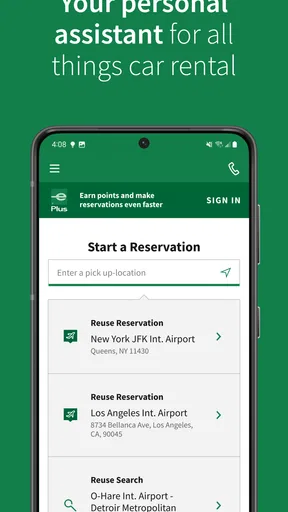
The app’s saved locations and vehicle preferences can make repeated planning feel less like starting over. I would use that convenience for a regular airport trip or a recurring visit to family, while still checking each booking from scratch for dates, vehicle availability, and pickup details. A saved choice speeds up the routine; it should not be treated as confirmation that the same car or price will be available next time.
Another useful trade-off is keeping the reservation details accessible on the same phone I use while traveling. That can be simpler than searching through email when I need to check pickup or drop-off information. At the same time, a phone-based workflow is only as convenient as my access to the account and device, so I would keep the confirmation details somewhere I can retrieve them if the app is inconvenient at the moment I need them.
Worth Reading Before You Choose

EA SPORTS FC Mobile 26 Is a Bigger Football Game, but It Takes Time

Flipboard Shows What News Apps Must Do Beyond the Feed

Switching to Android Auto Means Rethinking Your Driving Routine

Google Calendar Makes a Crowded Week Easier to Manage

Ludo King Makes the Most of the Minutes Between Plans

Baby Panda World Brings Quick Play to Modern Phones, but Its Game Library Feels Busy
Who should look elsewhere
If I am choosing purely by the lowest total cost, I would compare more than one provider before committing. Rental prices and availability can vary by place and date, and an app dedicated to Enterprise is not a substitute for a cross-brand comparison. Likewise, someone who needs a specific vehicle for a specialized job should confirm that exact option with the pickup location rather than assume a general vehicle category guarantees a particular model.
The app is also not the right answer for a traveler who does not need a car at all. In a city with reliable public transport, taxis, or rideshare options, those may be simpler than arranging a rental, parking, and fuel. I find the Enterprise app most worthwhile when having the car itself solves a real problem: carrying luggage, reaching places poorly served by transit, or keeping control over a changing itinerary.
Getting Started with Ease
First things first, downloading the Enterprise Car Rental app is a breeze. It’s available on both Android and iOS, so no worries about compatibility issues. Once you have it installed, the registration process is straightforward. I was pleasantly surprised by how quick it was; a few taps here and there, and I was ready to roll.
User Interface and Experience
The design of the app is clean and intuitive. You know how some apps make you feel like you need a degree in rocket science just to navigate? Well, this isn’t one of them. Everything is laid out logically, so even if you're not the most tech-savvy person, you’ll find your way around without breaking a sweat.
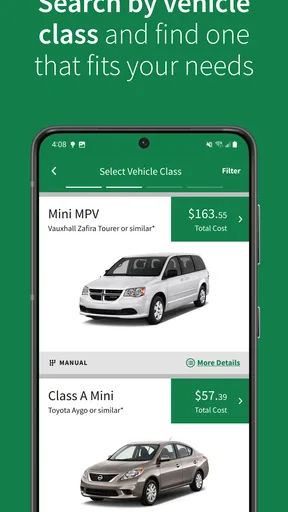
One feature I found particularly handy is the search function. You can easily filter by location, vehicle type, and pricing options. Whether you’re looking for a compact car to zip around the city or an SUV for a family trip, the app’s got you covered.
Booking a Car
Booking a car through the app is as simple as pie. After selecting your preferred vehicle and rental location, the app guides you through the booking process step by step. I really appreciated the transparency in pricing. No hidden fees popping up at the last minute, which is a huge relief.
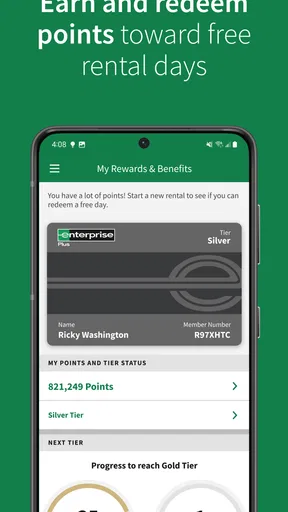
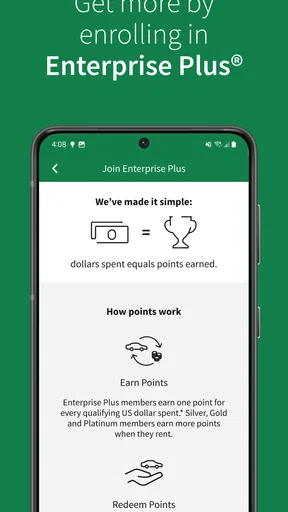
One cool feature is the ability to save your favorite locations and vehicles. It’s a small touch, but it makes repeat bookings so much quicker. Plus, if you’re part of the Enterprise loyalty program, you can easily track and redeem your points through the app.
On the Road Support
Now, let’s talk about what happens after you’ve booked your car. The Enterprise Car Rental app doesn’t just leave you hanging. I found the in-app customer support to be top-notch. Whether you have a question about your booking or need roadside assistance, help is just a tap away.
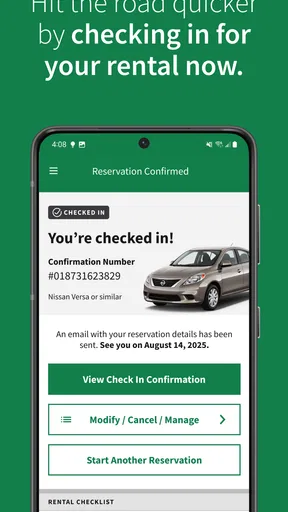
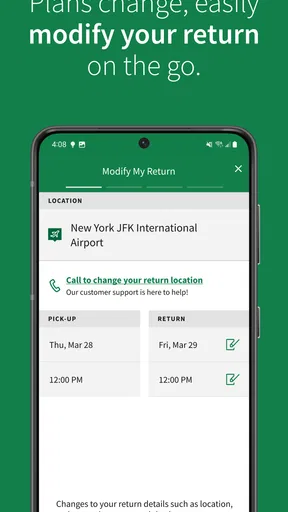
Plus, the app provides useful information about your rental such as pick-up and drop-off times, and you can easily modify your reservation if your plans change. It really takes the stress out of renting a car.
What to expect from the current version
The version available now is 8.10.1.2518, while the app first appeared on October 2, 2015. Those milestones tell me this is an established product, but a version number alone cannot show which screens or workflows changed between releases. I would not assume a particular redesign or new feature based only on the number. What matters to an existing renter is whether the current booking, reservation-management, and support flows remain clear on their device.
For someone who has used an earlier release, the sensible approach is to review an upcoming reservation after updating and make sure the pickup location, dates, and contact details still look right. That is ordinary travel hygiene, not a reason to expect trouble. If the app behaves differently on a particular phone, I would use the account or support route available to resolve the reservation rather than wait until I reach the rental counter.
Useful checks before confirming
One small but valuable habit is to compare the pickup location with the address you actually intend to reach. A city can have more than one branch, and choosing a convenient-looking result without checking its position may create an awkward detour. I would also confirm the return location separately, especially if the trip ends somewhere other than where it began; a booking is only convenient when both ends fit the journey.
Before I finalize a rental, I would read the full booking summary rather than rely on the vehicle label or headline price alone. Dates, times, location, and the selected category all affect whether the reservation suits the trip. The app’s search filters help narrow choices, but they do not make the decision for me. A few seconds reviewing the summary can prevent a mismatch that would be much harder to fix after arriving.
Cost, confidence, and practical limits
The app is free to download, and the service is rated for Everyone. Its average rating is 4.6 from around 51,000 ratings, with roughly 19,000 written reviews and over 5 million installs. I take those figures as a sign that many people use it, not as a guarantee that every rental will be smooth. The actual experience still depends on the reservation, location, and the help needed during the trip.
In particular, I would not treat an in-app price display as a reason to stop checking the terms that apply to my booking. Rental costs can depend on the chosen dates, location, and selection, so I would compare the final details before confirming and keep the confirmation handy. If a price or vehicle choice matters more than staying with Enterprise, checking other providers is the better move; if convenience at an Enterprise location matters most, this app keeps the process in one place.
Keeping expectations realistic
One question people often have is whether they can count on getting the exact model shown in a search. I would plan around the vehicle category presented and confirm what the reservation actually guarantees, rather than build a trip around a specific make or model. Another is whether a booking can be changed: the app supports modifying reservations, which is useful when plans move, but availability and booking conditions still matter.
For roadside help or a booking question, the in-app support option gives me a direct place to start. I would still keep the reservation information available and explain the issue clearly, especially if I am calling or messaging while away from home. A support button is reassuring, but it does not remove the value of checking the details early, when there is more time to adjust a plan.
Product maturity and what I would watch
Because the app has been around since 2015 and continues at version 8.10.1.2518, I see it as a mature companion to Enterprise rentals rather than a brand-new experiment. That history is useful context for a returning user, though it is not proof of any specific improvement. When deciding whether to keep using it, I would pay attention to the things that affect a real journey: whether search results are easy to interpret, whether the reservation is simple to retrieve, and whether support is reachable when plans change.
Enterprise Car Rental has an average rating of 4.6 and is free, which makes trying it low-friction if you already rent from the company. I would keep it installed for repeat bookings and travel where Enterprise’s locations suit my route. If I am still shopping among rental firms, I would compare first; if I have already chosen Enterprise, the app is a convenient way to organize the booking and keep its details close at hand.
Final Thoughts
In a world where time is of the essence, having a reliable app like this at your fingertips is invaluable. Enterprise Car Rental has managed to pack a whole lot of functionality into a user-friendly package. From booking to driving off the lot, the app ensures a seamless experience.
If you haven’t tried it yet, I’d say give it a go. It might just make your next trip a whole lot smoother. And if you’re already using it, you know exactly what I’m talking about. Happy travels!
Pros
- Wide selection of vehicles available.
- User-friendly interface for quick bookings.
- Flexible rental terms and conditions.
- 24/7 customer support available.
- Loyalty rewards for frequent users.
Cons
- Limited discounts for long-term rentals.
- Occasional app glitches reported.
- Account setup can be lengthy.
- Limited payment options available.
- Additional fees for underage drivers.
FAQs for Enterprise Car Rental
What is the Enterprise Car Rental app and how does it work?
The Enterprise Car Rental app is a mobile application designed to simplify the process of renting vehicles. Users can search for available cars, make reservations, and manage bookings directly from their smartphone. The app provides information on vehicle availability, rental locations, and pricing, helping users make informed decisions before renting a car.
Can I modify or cancel my reservation through the Enterprise app?
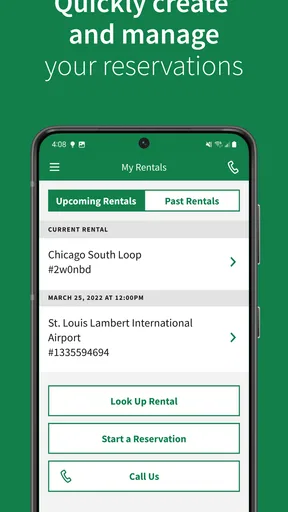
Yes, the Enterprise Car Rental app allows users to easily modify or cancel their reservations. Simply navigate to the 'My Rentals' section, select the reservation you wish to change, and follow the prompts. Be aware that cancellation or modification policies may apply, so it's important to review these before making changes.
Does the Enterprise Car Rental app offer any discounts or loyalty programs?
The Enterprise app often features exclusive discounts and promotions for app users. Additionally, it integrates with the Enterprise Plus loyalty program, allowing members to earn points for each rental. These points can be redeemed for free rental days, upgrades, and other benefits, providing added value for frequent travelers.
Is the Enterprise Car Rental app available in all countries?
The app is available in many countries where Enterprise operates, but availability can vary based on regional restrictions. Users should check the app store for their country to see if the app is available for download. It's important to note that features and services may differ depending on the country and location.
What types of vehicles can I rent through the Enterprise app?
Through the Enterprise Car Rental app, users can choose from a wide range of vehicles, including economy cars, SUVs, luxury vehicles, and trucks. Availability depends on the location and the specific rental branch. The app provides detailed descriptions and images of each vehicle type to help users select the best option for their needs.


